
Launching a website marks the beginning of an ongoing journey rather than a final destination. Regular website maintenance ensures your digital presence remains secure, performs optimally, and continues delivering value to visitors. Neglecting maintenance can lead to security vulnerabilities, degraded performance, and ultimately, lost business opportunities. This comprehensive guide covers everything you need to keep your website running smoothly.
Key Takeaways
- Regular software updates patch security vulnerabilities and protect your website from emerging threats and exploits.
- Automated backup systems with off-site storage provide essential disaster recovery capabilities when problems occur.
- Performance monitoring identifies issues before they impact user experience and search engine rankings.
- Security scanning and hardening measures protect sensitive data and maintain visitor trust.
- Content audits and updates keep your website relevant, accurate, and performing well in search results.
The Critical Importance of Software Updates
Content management systems, plugins, themes, and server software require regular updates to address security vulnerabilities and improve functionality. Hackers actively scan the internet for websites running outdated software with known vulnerabilities. When security patches become public, the vulnerabilities they address become roadmaps for malicious actors targeting unpatched systems.
Establish a consistent update schedule that balances security needs with stability requirements. Many organizations check for updates weekly, applying critical security patches immediately while testing feature updates in staging environments first. This approach protects against urgent threats while preventing hasty updates from breaking functionality.
WordPress sites require particular attention due to the platform’s popularity and extensive plugin ecosystem. Keep WordPress core, themes, and all plugins updated. Remove unused plugins and themes entirely rather than simply deactivating them, as abandoned code can still present security risks. Consider managed WordPress hosting that handles core updates automatically while providing expert oversight.
Implementing Robust Backup Strategies
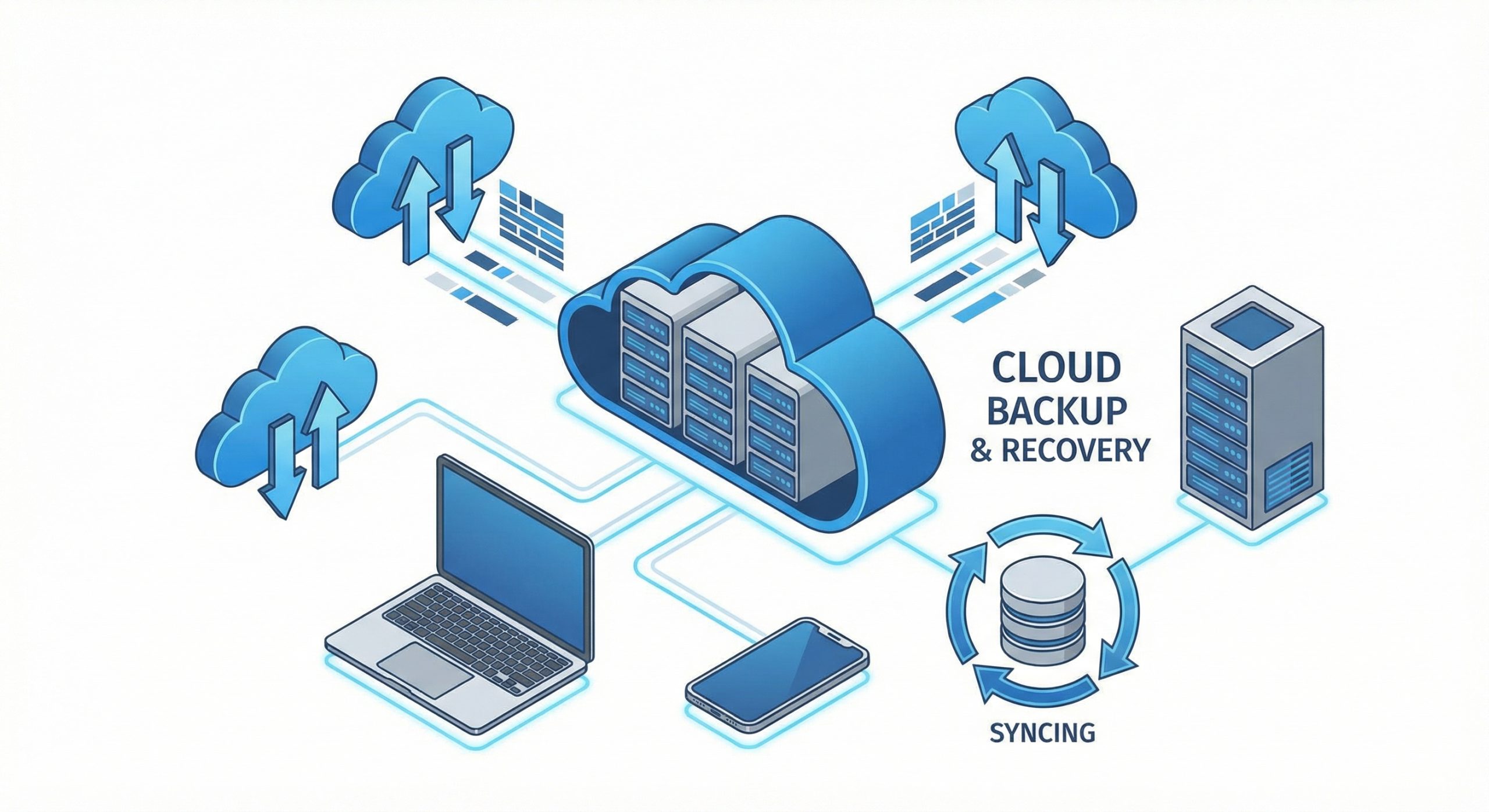
Comprehensive backups provide insurance against disasters ranging from hacking incidents to accidental deletions to hardware failures. A proper backup strategy includes both file backups and database backups, stored in multiple locations including off-site storage. The 3-2-1 backup rule recommends three copies of data, on two different media types, with one copy stored off-site.
Automate your backup process to ensure consistency. Manual backups frequently get forgotten during busy periods, precisely when problems often occur. Schedule daily incremental backups with weekly full backups for most websites. High-traffic sites or those with frequent content changes may require more frequent schedules to minimize potential data loss.
Regularly test your backup restoration process. Backups prove worthless if you cannot successfully restore from them when needed. Document restoration procedures and perform test restores periodically, ideally to a separate environment. This practice verifies backup integrity and ensures your team can execute recovery procedures under pressure when actual disasters strike.
Security Monitoring and Hardening
Website security requires multiple layers of protection working in concert. Start with strong authentication practices, including unique complex passwords, two-factor authentication for all administrative accounts, and limited login attempts to prevent brute force attacks. Review user accounts regularly and remove access for departed team members immediately.
Install and configure security plugins or services that provide firewall protection, malware scanning, and intrusion detection. These tools monitor for suspicious activity and can automatically block common attack patterns. Many also scan for known malware signatures, alerting you to compromised files before significant damage occurs.
SSL certificates encrypt data transmission between your website and visitors, protecting sensitive information and building trust. Search engines favor HTTPS sites, making SSL certificates essential for SEO as well as security. Monitor certificate expiration dates and enable automatic renewal to prevent lapses that would trigger browser security warnings.
Performance Optimization and Monitoring

Website performance directly impacts user experience, conversion rates, and search engine rankings. Implement ongoing monitoring that tracks page load times, server response times, and error rates. Set up alerts for significant performance degradation so you can investigate and resolve issues before they substantially impact users.
Database optimization becomes increasingly important as websites grow. Over time, databases accumulate overhead from revisions, spam comments, transient data, and orphaned records. Regular database maintenance including optimization, repair, and cleanup operations keeps queries running efficiently. Some content management systems require manual database optimization while others provide automated tools.
Caching dramatically improves performance by storing frequently accessed content for rapid delivery. Implement browser caching, server-side caching, and consider content delivery networks for static assets. Review and clear caches after updates to ensure visitors receive current content. Monitor cache hit rates to verify your caching strategy works effectively.
Content Audits and SEO Maintenance
Search engine optimization requires ongoing attention as algorithms evolve and competitors adjust their strategies. Regular content audits identify outdated information, broken links, and underperforming pages. Update or consolidate weak content rather than allowing it to drag down overall site quality. Redirect removed pages appropriately to preserve any existing search equity.
Monitor your website’s search performance through Google Search Console and analytics platforms. Track keyword rankings, organic traffic trends, and technical issues that might impact visibility. Address crawl errors, mobile usability problems, and Core Web Vitals issues promptly. Search engines continuously re-evaluate websites, and maintaining strong technical foundations preserves ranking positions.
Review and update contact information, business hours, pricing, and other time-sensitive content regularly. Outdated information frustrates visitors and damages credibility. Establish content review schedules based on how frequently information changes in your industry. Key pages like home pages, service descriptions, and about pages warrant more frequent attention.
Creating a Maintenance Schedule
Effective website maintenance requires systematic scheduling rather than ad-hoc attention. Create a maintenance calendar that assigns specific tasks to appropriate timeframes. Daily tasks might include backup verification and security log review. Weekly tasks typically include software updates and performance checks. Monthly responsibilities could encompass content audits and analytics review.
Document all maintenance procedures and assign clear responsibilities. Whether handled internally or outsourced to professionals, everyone involved should understand their roles and the importance of consistent execution. Maintain logs of completed maintenance activities to track patterns and demonstrate due diligence if issues arise.
Consider professional website maintenance services if internal resources are limited. Quality maintenance providers bring expertise across security, performance, and content management while freeing your team to focus on core business activities. The cost of professional maintenance typically pales compared to the expenses associated with recovering from security breaches or extended downtime. Regular maintenance represents an investment that protects your digital assets and ensures consistent returns from your online presence.
